PromptDrip
PromptDrip 8K AI PROMPT VAULT
PROMPT DETAIL

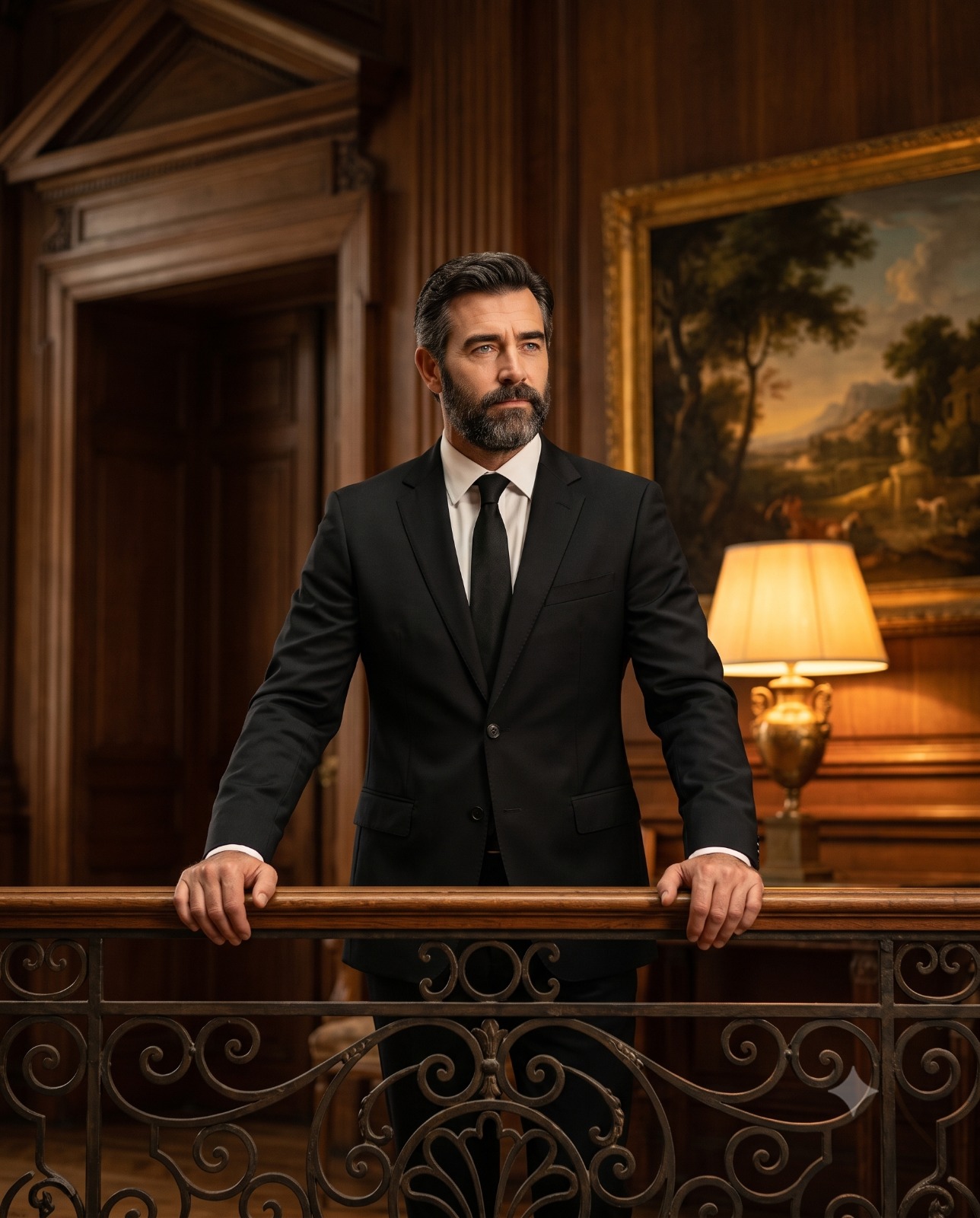
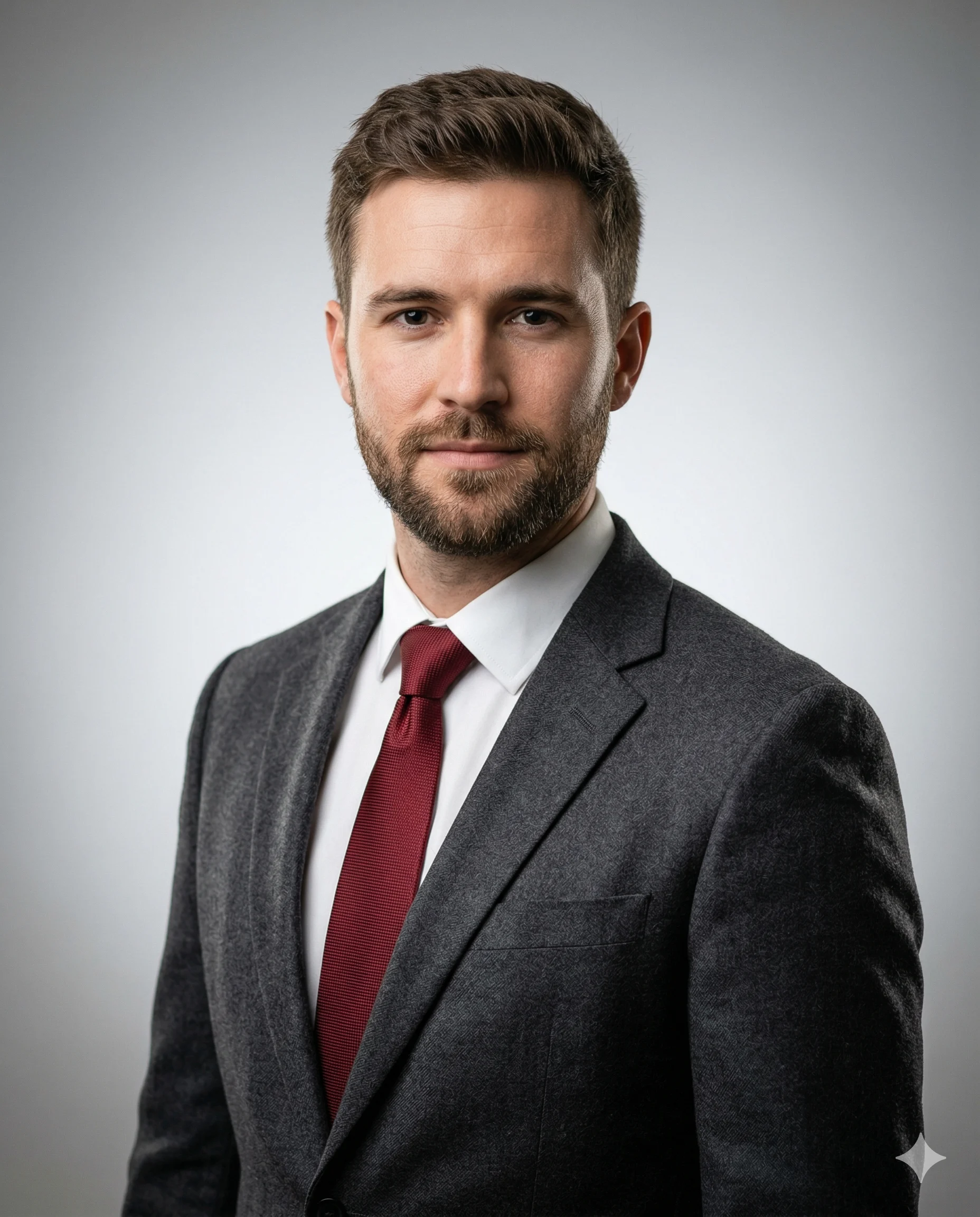
Executive in Grey Business Portrait

Shared by @PromptDrip • Sep 21, 2026

PROMPT

Optimized for Gemini

Use the uploaded image ONLY as the facial identity reference. Preserve exact facial structure, proportions, skin tone, eye shape, nose shape, lips, jawline, hairline, grooming and natural imperfections. Do not beautify, stylize, or alter identity in any way. Create a hyper-realistic, professional studio portrait of a mature, confident male subject. The subject is positioned in a clean three-quarter composition (slightly turned body, face toward camera), maintaining a calm, composed expression with subtle confidence. Appearance & Styling Natural skin texture with visible pores and fine details (no plastic smoothing) Well-groomed short hair, slightly textured and naturally styled Clean shave or neatly trimmed beard (identical to reference image) Calm, confident expression Outfit Deep gray tailored blazer Crisp white shirt with a deep red tie Lighting (CRITICAL for realism) Soft key light from front-left at ~45° angle Gentle fill light on opposite side to retain shadow depth Subtle rim light for hair separation from background Natural skin tones, no overexposure, balanced dynamic range Background Clean neutral studio background (soft light gray gradient, inner bright) Slight falloff toward darker edges for depth No distractions, premium editorial feel Camera & Technical Details Camera: Full-frame DSLR or mirrorless (e.g., Sony A7R V / Canon R5) Lens: 85mm prime (portrait lens) Aperture: f/2.8 (sharp subject, soft background blur) ISO: 100 Shutter Speed: 1/160s Focus: tack-sharp on eyes Depth of field: shallow, smooth bokeh Color grading: natural, true-to-life tones, subtle contrast Composition Vertical 4:5 aspect ratio Chest-up framing (mid portrait) Balanced negative space on the upper side Eyes aligned slightly above center for professional balance Occupies approximately 70-80% area of the canvas Output Quality Ultra-detailed, 8K realism No AI artifacts, no over-sharpening Natural cinematic finish, indistinguishable from real photography

ChatGPT Gemini

How to Use This Prompt

Quick 3-step guide to generate or edit your AI photo

1

Copy Prompt

Click the orange Copy button above to copy the prompt text.

2

Open AI Tool

Open Gemini or ChatGPT using the 1-click buttons.

3

Paste & Generate

Paste the prompt, attach your photo (optional), and hit send to get your 8K photo!

💡 Pro Tip: Attach your reference portrait photo with the prompt in Gemini or ChatGPT to generate this exact aesthetic with your own face!

Community Rating

4.7
31 Ratings
5
24
4
5
3
1
2
1
1
0

Rate this prompt

Model or Tool

Gemini

You might also like

8K AI Prompt copied to clipboard!