PromptDrip
PromptDrip 8K AI PROMPT VAULT
PROMPT DETAIL

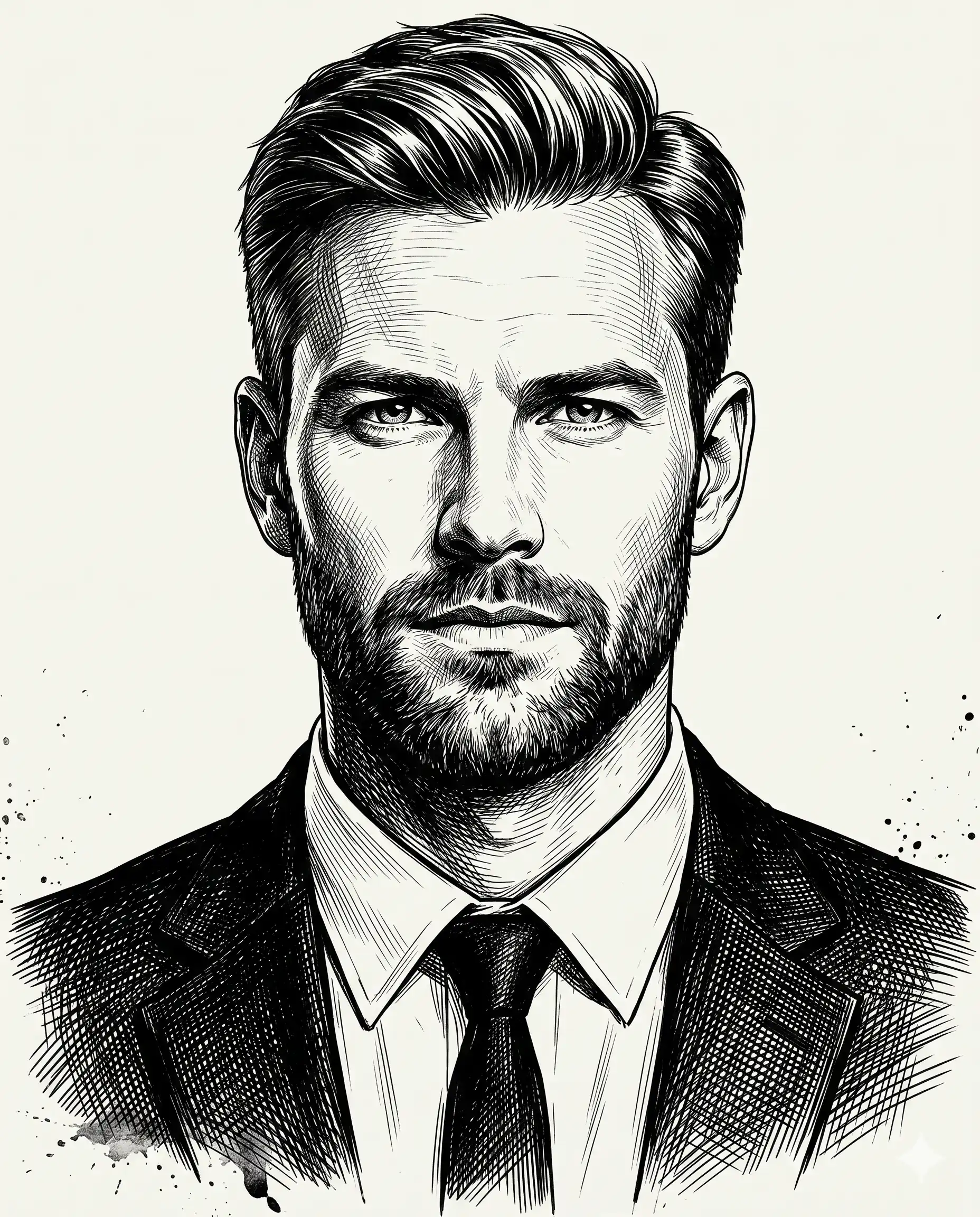
Man in Suit Sketch

Shared by @PromptDrip • Sep 21, 2026

PROMPT

Optimized for Gemini

Use the uploaded image strictly ONLY for face matching and identity reference. Preserve exact facial structure, proportions, eye shape, nose structure, sharpness, grooming, and natural asymmetry. Pose & Composition Subject is seated upright with a straight spine. Neck perfectly straight, head level and centered, facing directly forward. Aspect ratio: 4:5. Framing: Upper-chest to slightly above head shot. Face centered, head occupying approximately 75–80% of the frame. Minimal upper shoulder visibility.  Expression: Neutral intense expression, eyes directly at camera, lips closed, subtle tension in eyes and brow. Hair: Hair is thick and natural with realistic flow, slight irregularity, believable strand direction using sharp ink strokes. Rendered with fine directional strokes, maintaining skin texture through linework. Outfit: He wears a tailored black suit blazer (worn open) over a crisp white button-down dress shirt with a slim black tie.  matte fabric, subtle folds near neck and shoulders, rendered using cross-hatching (not flat black fill). Style: Ultra-detailed black-and-white ink engraving illustration. Heavy cross-hatching and line-based shading, varied stroke density and direction to define facial planes, scratch lines, etched strokes, and raw ink texture for a hand-drawn feel. Subtle bottom splash effect applied to the lower edge of the portrait to smoothly fade shoulders into background. Lighting: Strong chiaroscuro using line density (no gradients). One side of face slightly darker, deep shadows under cheekbones, jawline, eye sockets, and neck. No soft lighting. Background: Clean off-white with minimal ink splatter around edges only. No environment. Camera & Lens: Eye-level camera angle, 85mm perspective. Avoid: Anime, cartoon, soft shading, gradients, 3D, CGI, photorealism, color, glow, blur, smooth skin, beautified face, generic face, over-stylized hair, perfect symmetry, detailed background, logos, text, accessories, vector art.

ChatGPT Gemini

How to Use This Prompt

Quick 3-step guide to generate or edit your AI photo

1

Copy Prompt

Click the orange Copy button above to copy the prompt text.

2

Open AI Tool

Open Gemini or ChatGPT using the 1-click buttons.

3

Paste & Generate

Paste the prompt, attach your photo (optional), and hit send to get your 8K photo!

💡 Pro Tip: Attach your reference portrait photo with the prompt in Gemini or ChatGPT to generate this exact aesthetic with your own face!

Community Rating

4.6
28 Ratings
5
21
4
5
3
1
2
1
1
0

Rate this prompt

Model or Tool

Gemini

You might also like

8K AI Prompt copied to clipboard!