PromptDrip
PromptDrip 8K AI PROMPT VAULT
PROMPT DETAIL

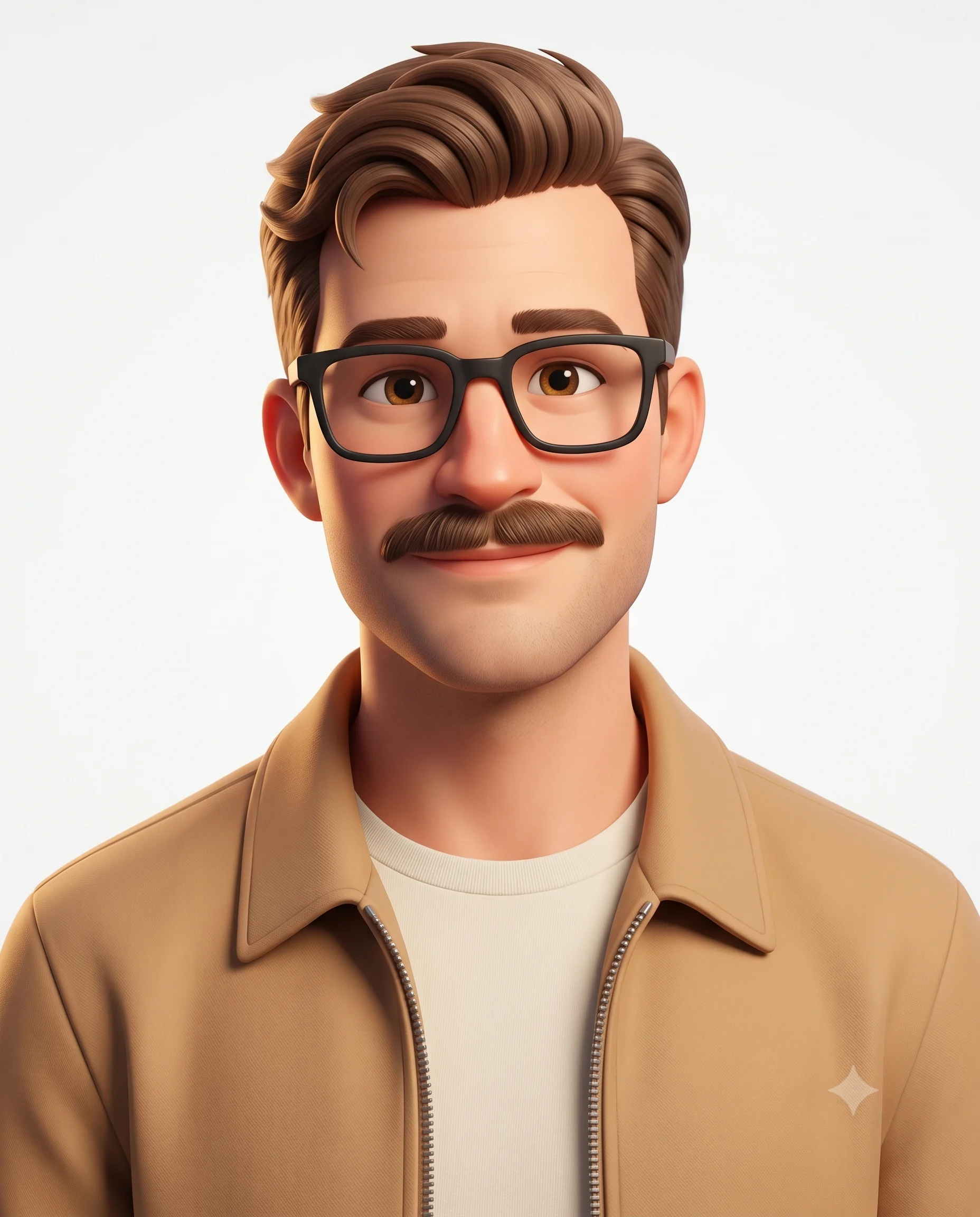
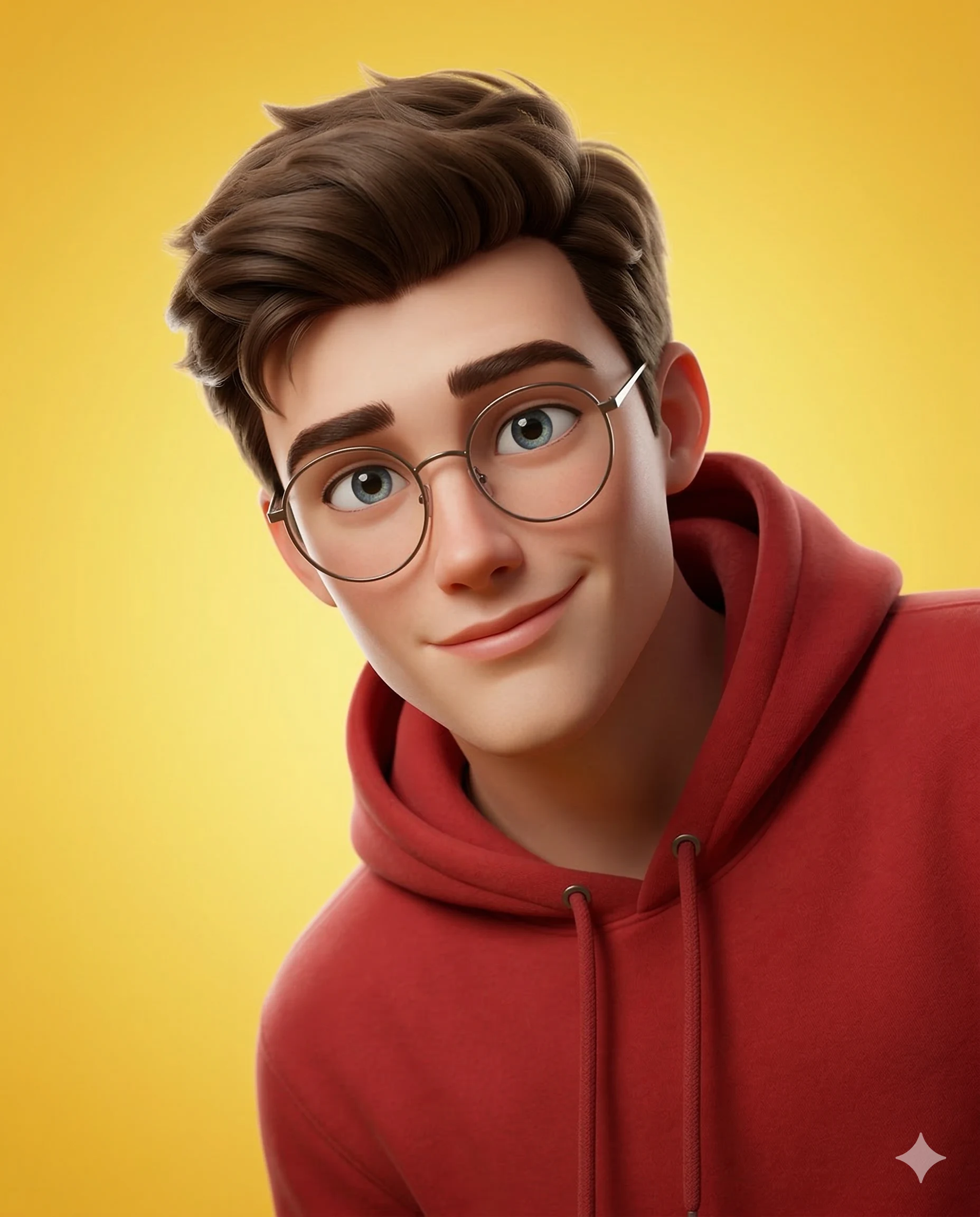
The Friendly Creative 3d Animation

Shared by @PromptDrip • Sep 21, 2026

PROMPT

Optimized for Gemini

Create a high-quality 3D stylized character portrait rendered in a premium modern animation style similar to Pixar or DreamWorks, based on a provided reference image of the person. Identity Preservation Use the reference image strictly to match the subject’s identity, facial structure, hairstyle, beard, skin tone, and age. Maintain recognizable likeness while rendering in a stylized 3D animation form. Composition & Framing Close-up upper-torso portrait cropped from a standing pose. The subject enters the frame slightly from the right side, with the head positioned near the center of the frame. The left shoulder is mostly outside the frame, while the right shoulder is visible. The character appears as if leaning slightly into the frame toward the viewer. Camera Angle & Perspective Shot from a close camera distance with a slightly elevated angle, looking gently downward at the character. The perspective slightly enlarges the head compared to the shoulders to create a charming animated portrait feel. Pose & Expression Friendly warm smile with a curious, playful expression. Head slightly tilted, maintaining direct eye contact with the viewer. Accessories Thin-rim round eyeglasses with subtle reflections on the lenses. Clothing Red pullover hoodie with soft fabric texture, visible drawstrings, and natural cloth folds. Lighting Bright soft studio lighting illuminating the face clearly. Soft key light from the upper left and subtle rim lighting to separate the character from the background. Background Clean yellow gradient background with minimal texture to keep full focus on the subject. Rendering Quality Ultra-clean high-resolution 3D render with smooth surfaces, soft ambient occlusion, cinematic lighting, and shallow depth of field focused on the face. Aspect Ratio 4:5 vertical portrait composition.

ChatGPT Gemini

How to Use This Prompt

Quick 3-step guide to generate or edit your AI photo

1

Copy Prompt

Click the orange Copy button above to copy the prompt text.

2

Open AI Tool

Open Gemini or ChatGPT using the 1-click buttons.

3

Paste & Generate

Paste the prompt, attach your photo (optional), and hit send to get your 8K photo!

💡 Pro Tip: Attach your reference portrait photo with the prompt in Gemini or ChatGPT to generate this exact aesthetic with your own face!

Community Rating

4.7
31 Ratings
5
24
4
5
3
1
2
1
1
0

Rate this prompt

Model or Tool

Gemini

You might also like

8K AI Prompt copied to clipboard!